The Shortest JS Program
What happens when you run the shortest possible JavaScript program—an empty file? It turns out, the JavaScript engine does quite a bit.
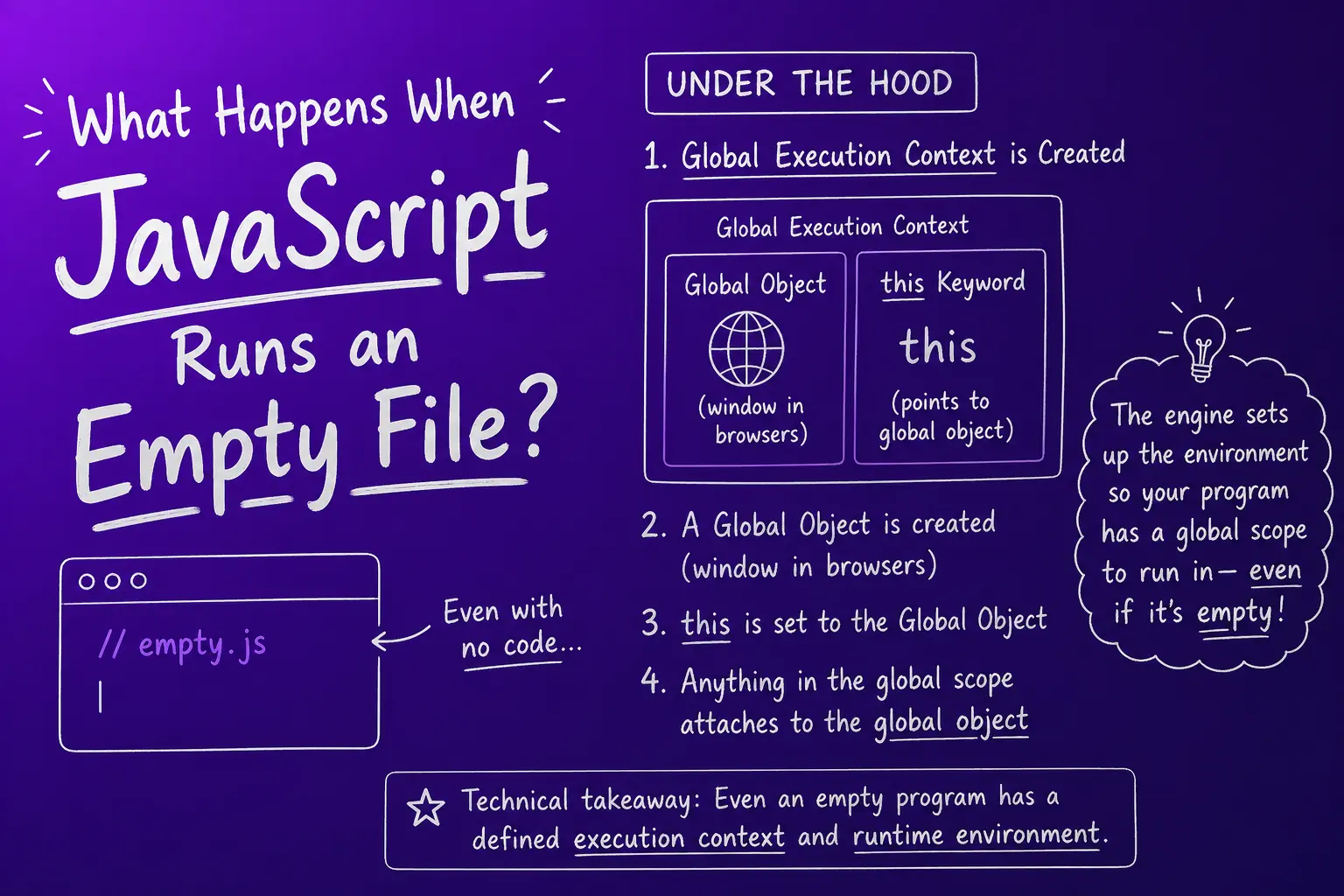
What happens when JS runs?
When the JavaScript engine starts executing your code, it doesn't start with a blank slate. Even an empty file triggers a series of automatic setup steps. The engine needs to establish a runtime environment before any code runs.
This environment is called the Global Execution Context. It's the foundation that makes everything else possible.
Global Execution Context
The Global Execution Context (GEC) is created the moment the JavaScript engine starts running. It comes with two main components:
- A global object — The engine allocates memory for a special object that will hold global variables, functions, and built-in utilities.
- The
thiskeyword — The engine also creates a reference calledthis. At the global level,thisalways points to the global object.
These two components are created automatically, even if your code is empty.
The global object (window)
The global object is different depending on where your JavaScript runs:
- In a browser, the global object is called
window. - In Node.js, the global object is called
global.
In the browser, the window object isn't empty. It contains hundreds of built-in properties and methods that your code can use:
console— for loggingsetTimeout— for delaysdocument— the DOMlocation— URL infofetch— for network requests- ...and many more
All of these are properties of the window object.
At global scope, this === window
At the global level (outside of any function), the this keyword always refers to the global object.
In a browser:
console.log(this) // → window object
console.log(this === window) // → true
In Node.js:
console.log(this) // → global object (actually Module.exports, but conceptually 'global')
console.log(this === global) // → true (in most contexts)
This is a fundamental behavior: the engine ensures that this at the global level always points to the global object.
Everything global attaches to window
When you declare a variable or function at the global level (not inside a function), the JavaScript engine automatically attaches it to the global object.
For example:
var name = "Akshay"
function greet() {
  console.log("Hello")
}

console.log(window.name) // → "Akshay"
console.log(window.greet) // → ƒ greet() { ... }
console.log(name) // → "Akshay" (also works)
console.log(greet) // → ƒ greet() { ... } (also works)
Because global variables and functions are properties of window, you can access them two ways:
- By name:
name,greet() - Via the global object:
window.name,window.greet()
Both are equivalent. The engine adds them to window automatically.
Browser vs other environments
The concept is universal across all JavaScript environments:
- Browser: Global object is
window - Node.js: Global object is
global - Web Workers: Global object is
self
What changes is the name and the built-in properties available, but the principle is the same. Every JavaScript engine creates a global object and binds this to it at the global level.
Recap
- Even an empty JavaScript file triggers the engine to create a Global Execution Context.
- The GEC includes a global object and the
thiskeyword. - In browsers, the global object is
window. In Node.js, it'sglobal. - At global scope,
thisalways points to the global object. - Any variable or function declared globally is automatically a property of the global object.
- You can access global items either by name or via the global object (
window.xor justx).
This foundation—the global object and execution context—is what makes scoping, variable lookup, and function invocation work. Understanding it is key to mastering JavaScript internals.